by Mary Reid Barrow
Do you know how easy it is to identify many plants and critters in nature if you have an iPhone 15 or later?
I have just come to realize the full range of the iPhoto features on my iPhone. They are changing the way I search for information about plants and animals I photograph.
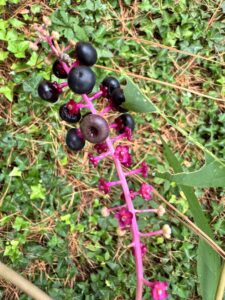
The feature is called Visual Look Up. But you don’t even have to know its name. It’s not an app, just part of iPhoto. Take a photo of a plant, like this one I took of pokeweed berries above.
Go to the photo in your album, click on the little information button in the center below the photo and then click the words, “Look Up Plant.” Right then and there you get this:
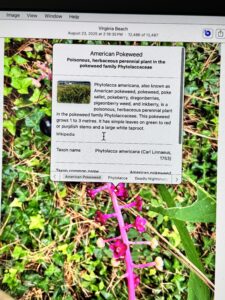
You can ID photos at home from your iPhoto Library on the computer too. I photographed this critter on my walkway that I was pretty sure was a five-lined skink:
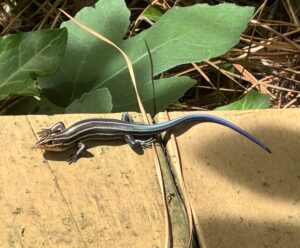
I checked it from my computer by clicking on the information button at the right top of the photo. A small little circle with a tiny critter in the center of the photo popped up. I clicked on it, and this is what I got:
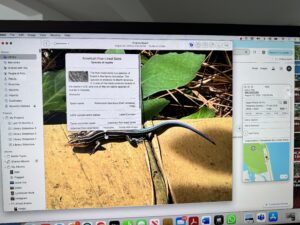
For those of you with an Android phone, I have read that its feature called Google Lens helps you do virtually the same thing.
Until now, I’ve been using Picture This for plant IDs. It is a great phone app for plants, maybe better than the iPhone because it is more accurate with individual species names, but it includes more care and growing information than you’d ever want to know. It’s free for a trial period, then $30 a year.
But since it is free, I’ve decided to stick with the iPhone for now because it’s so easy to use.
If the ID is crucial, it’s always best to check it against your good old field guides or other sources.
But wherever you get your information, gone are the days when you had to know something about what you were looking for to even start looking for it!
I know many nature identification apps and programs are out there, some, easy, and some, more complicated. Let me know if you have one to recommend.